How to automatically track Apple Pay spending with Shortcuts
This tutorial sets up one personal automation in Apple's Shortcuts app: each time you tap a card from Apple Wallet, iOS hands the amount and merchant to Malii's Log Transaction action and the payment lands in your budget. It takes a few minutes, runs on your iPhone, and never needs your bank login.

On a computer? Scan to open the App Store on your iPhone.
Before you start
- Malii installed and opened at least once, with an account set up
- The card you pay with added to Apple Wallet
- A recent version of iOS, with the Wallet trigger in the Shortcuts app
- Optional: a default category for automatic entries (open a category in Malii and turn on Use as Default Category)
Part 1: Create the Wallet automation
- 1Open the Shortcuts app and go to the Automation tab.
- 2Tap the plus (+) button to start a new personal automation.
- 3Find Wallet in the list of triggers and tap it.
- 4Choose the cards you want to track, then tap Next.
Part 2: Add Malii's Log Transaction action
- 1Tap Create New Shortcut.
- 2Search for “Malii” in the actions list and select Log Transaction.
- 3Tap the Amount field, choose Select Variable, then Shortcut Input, then Amount.
- 4Tap the Merchant field, choose Select Variable, then Shortcut Input, then Merchant (or Location if you prefer the place name).
- 5Optional: tap Category and pick one of your Malii categories, or leave it empty.
- 6Set the automation to run immediately, without asking, then tap Done.
Fill in Merchant even though it's optional. If the field is left empty, Shortcuts can stop and ask you for a merchant name when it runs, which defeats the point of a hands-free automation.
Test it and check what was saved
Pay once with Apple Pay. The automation runs in the background without opening Malii, saves the payment to your default account, refreshes your widgets, and can show a confirmation notification with the amount, category, and merchant.
The category is chosen in this order: the category set in the action, then the category you last picked for that merchant in Malii, then your default category. Recategorise a merchant once in the app and later payments there follow it.
Malii reads the currency from the Wallet amount (for example “USD 13”). Payments in your budget currency work on the free plan; logging a payment in another currency and converting it needs Premium multi-currency.
If it doesn't work
- No Wallet trigger: update iOS and check the card is in Apple Wallet
- “No account set up”: open Malii and add an account first
- “Could not access your data”: open Malii once, then try again
- “Multi-currency is Premium”: the payment was in a different currency from your budget
- Want to watch it? Malii has a short setup video under Settings → iOS Shortcuts → Setup Tutorial
Frequently asked questions
Do I have to open Malii after each payment?
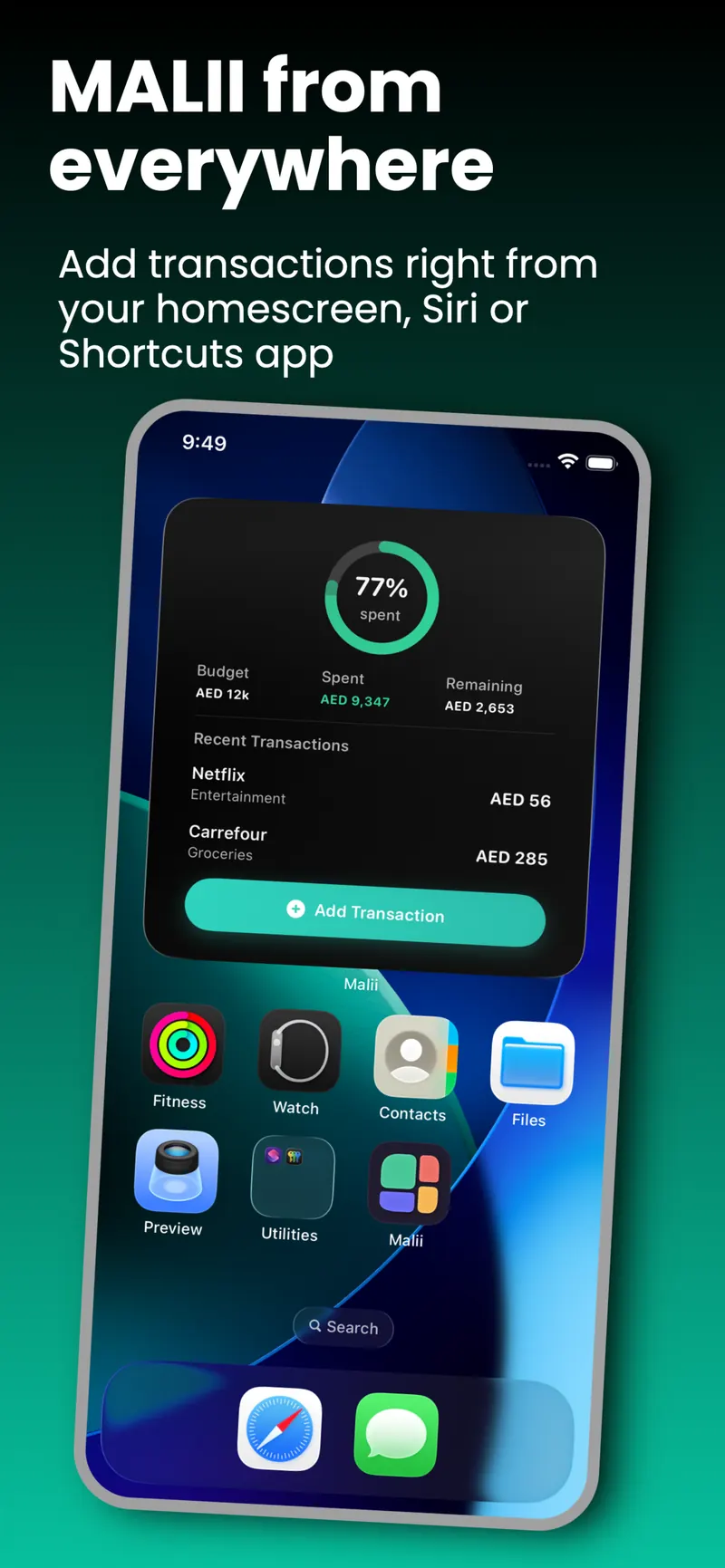
No. The Log Transaction action runs in the background, so the payment is saved without bringing Malii to the front. Your Home Screen widget updates on its own.
Is this the same as linking my bank?
No. Malii doesn't connect to any bank. The payment details come from Apple Wallet on your iPhone and are saved in Malii on your iPhone.
Can I send different cards to different categories?
Yes. Create one automation per card, and in each one set the Category field of the Log Transaction action to the category you want.
What about cash or card payments that don't use Apple Pay?
The Wallet trigger only runs when you pay from Apple Wallet. Log everything else with Siri (“Log a transaction in Malii”), a widget, or a quick manual entry.
Is the automation free?
Yes. Shortcuts, Siri, and widgets are all in Malii's free plan. Only payments in a currency different from your budget need Premium multi-currency.
What people say on the App Store
5.05 ratings
Finally, a Budgeting App That Gets It Right
“Finally found a budgeting app that feels both safe and beautifully designed. Most other budgeting apps I tried either felt complicated, outdated, or raised concerns about security. This one has a clean, intuitive UI that makes managing expenses and understanding your finances…”
This app saved my financial life!
“I’ve been looking for an app that can do track my spending in this way, and this is it!! It’s efficient, easy to get around and use, I love that it does its magic in the background.. i highly recommend!”
Finally, a budgeting app that actually makes sense
“I’ve tried a few budgeting apps, but Malii is honestly one of the easiest to use. The interface is clean, simple, and makes tracking your spending feel much less overwhelming. What I really appreciate is the privacy aspect, which is so important especially to manage something as…”
رهيب، ومرّه برايفيت
“فكرة انه التطبيق ما يطلع الداتا او يبيع الداتا هذا لحاله كافي ٥ نجوم. شكراً”
Finally, a Budgeting App That Gets It Right
“Finally found a budgeting app that feels both safe and beautifully designed. Most other budgeting apps I tried either felt complicated, outdated, or raised concerns about security. This one has a clean, intuitive UI that makes managing expenses and understanding your finances…”
This app saved my financial life!
“I’ve been looking for an app that can do track my spending in this way, and this is it!! It’s efficient, easy to get around and use, I love that it does its magic in the background.. i highly recommend!”
Finally, a budgeting app that actually makes sense
“I’ve tried a few budgeting apps, but Malii is honestly one of the easiest to use. The interface is clean, simple, and makes tracking your spending feel much less overwhelming. What I really appreciate is the privacy aspect, which is so important especially to manage something as…”
رهيب، ومرّه برايفيت
“فكرة انه التطبيق ما يطلع الداتا او يبيع الداتا هذا لحاله كافي ٥ نجوم. شكراً”
Set it up once. Log every tap.
Download Malii free, then follow the steps above.
On a computer? Scan to open the App Store on your iPhone.